SKELA: The Learning Tool

Start by reading. Markdown, PDF, EPUB and web articles, as a page, as a book or, on iPhone, as Text that flows to fit the screen. Then mark what matters, and practise until it stays, with summaries, clips, flashcards and a study partner.

For Mac, iPad and iPhone, with one library on all your devices.

Free to download, with AI credit to start.

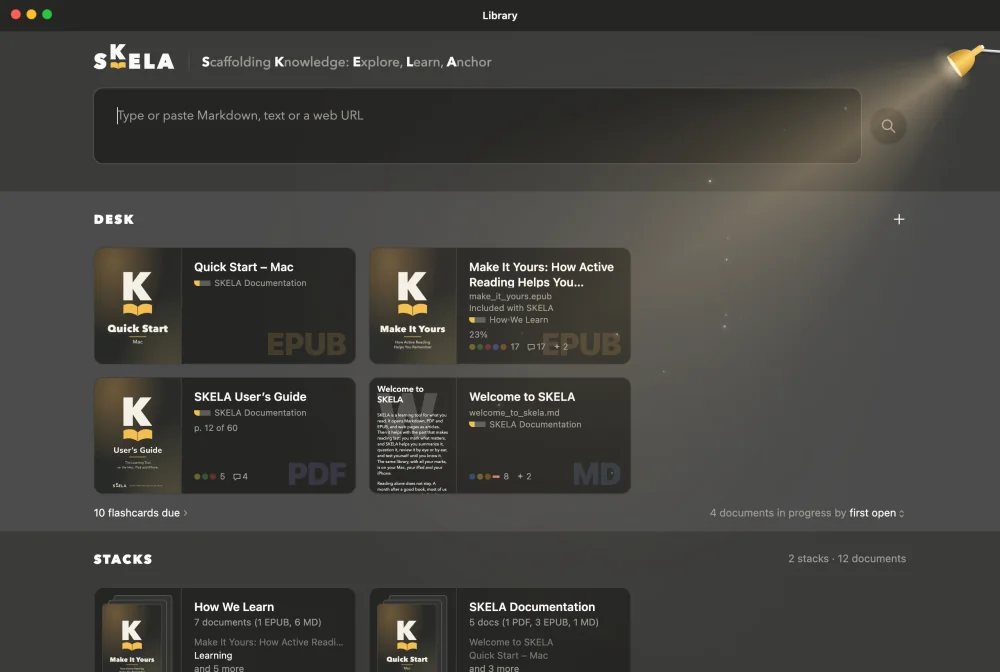
SKELA’s library on the Mac, with the reading lamp’s light across it: three documents on the Desk with their covers, the flashcards due, and two stacks.
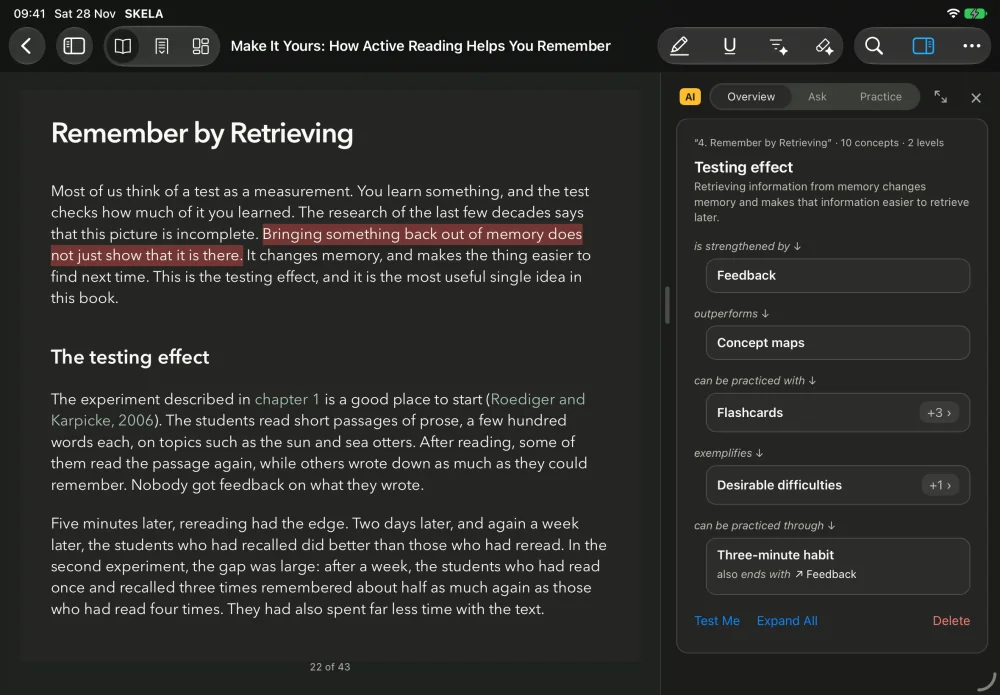
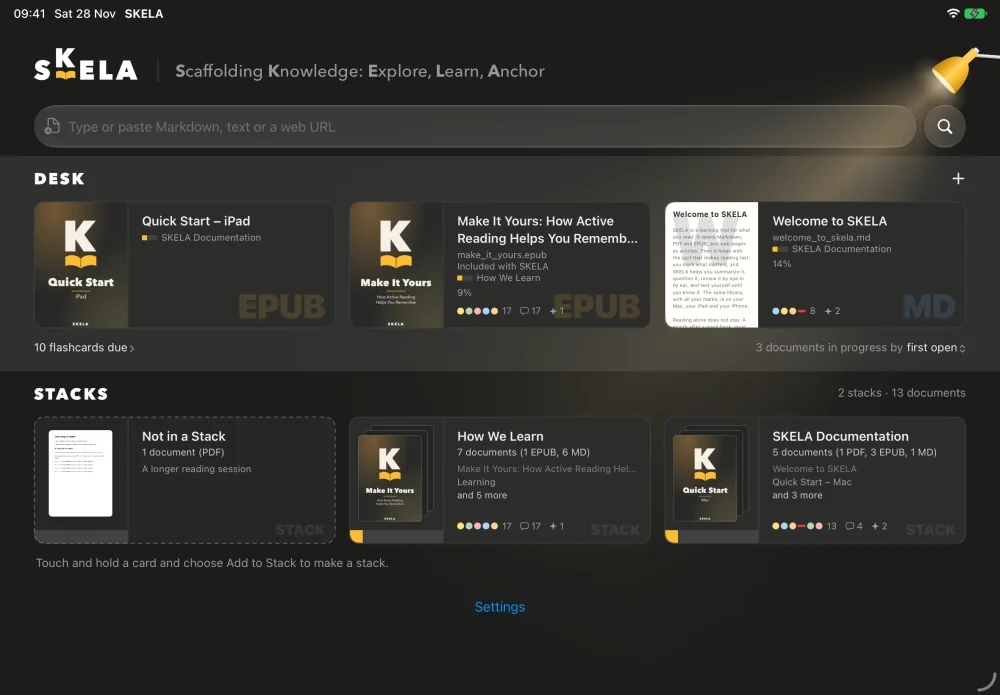
SKELA’s library on iPad held sideways, with the reading lamp’s light across the Desk and the stacks.
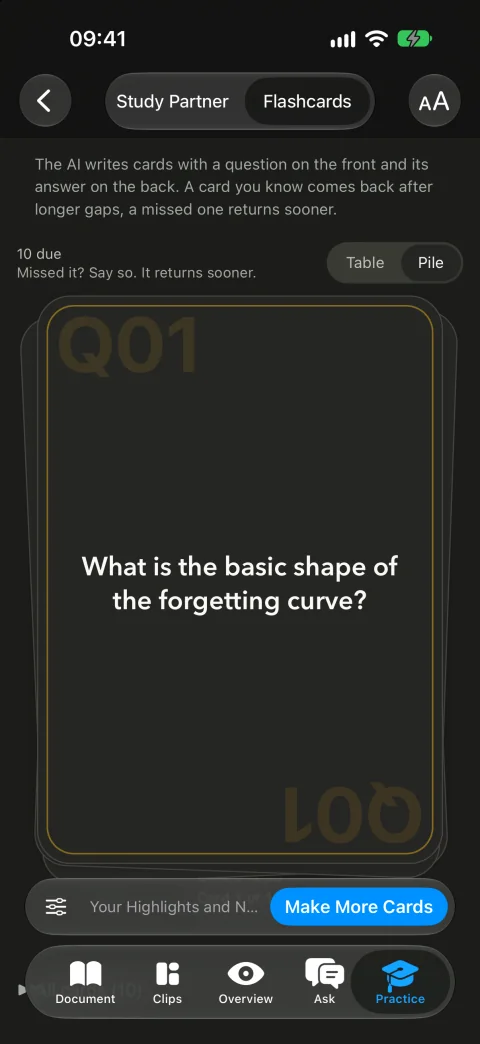
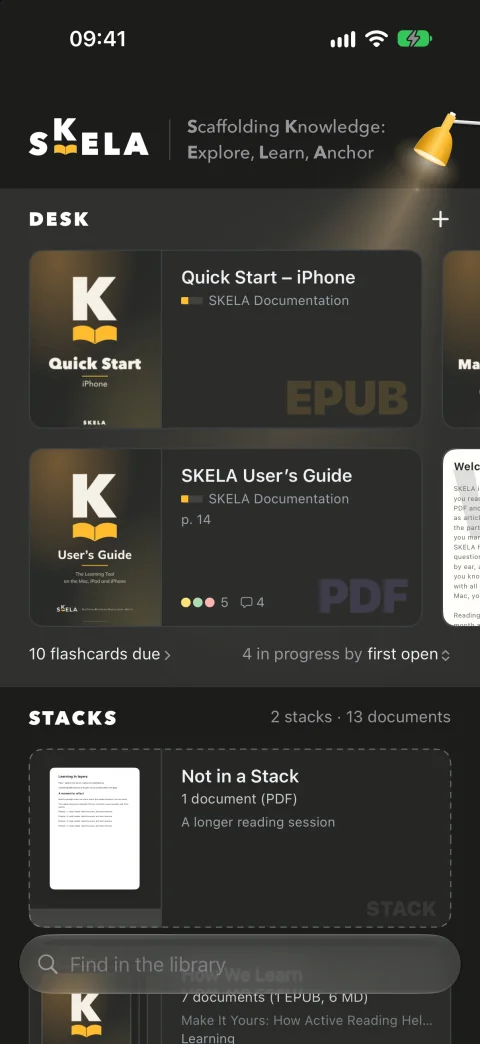
The library on iPhone, with the reading lamp, the Desk and the stacks.

Five steps

Read, mark, understand, review, remember.

  1. 01Read
  2. 02Mark
  3. 03Understand
  4. 04Review
  5. 05Remember

Read

Open a Markdown file, a PDF, a book or a web article, and read it as a page, as a book, or, on a small screen, as flowing text.

Text is for the PDF made for paper: on iPhone it can open as Text, the words flow to fit the screen, at the size you choose, and the pages are one tap away.

Key point

Your font, your line spacing, a light or dark page. A book turns its pages; a PDF opens as an open book of two pages. Your place in each document travels with you, from the Mac to the iPad and the iPhone.

Lists and headings

Reading needs nothing more. Mark, ask and practise when you are ready.
Opens:MarkdownPDFEPUBWeb articles

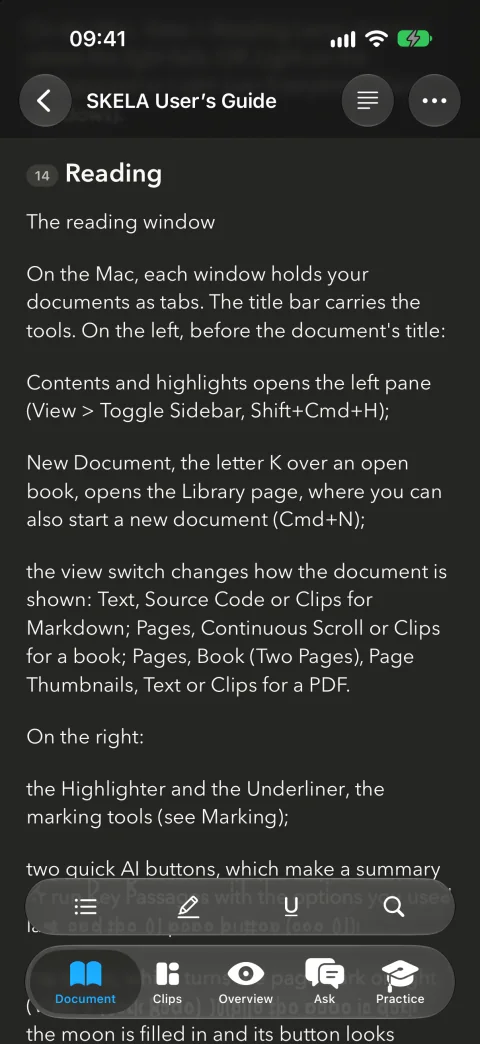
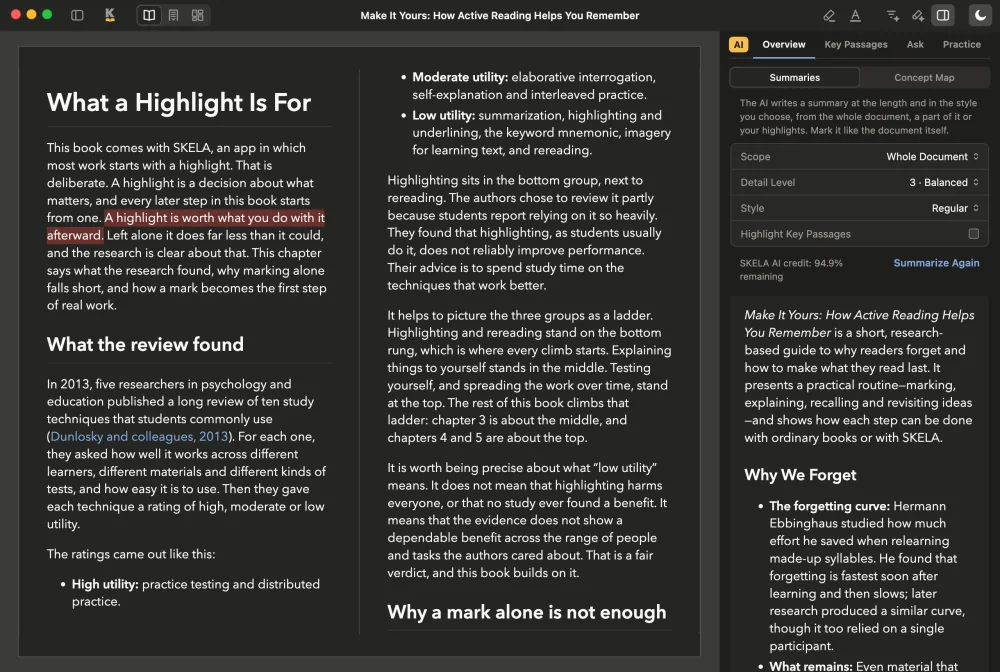
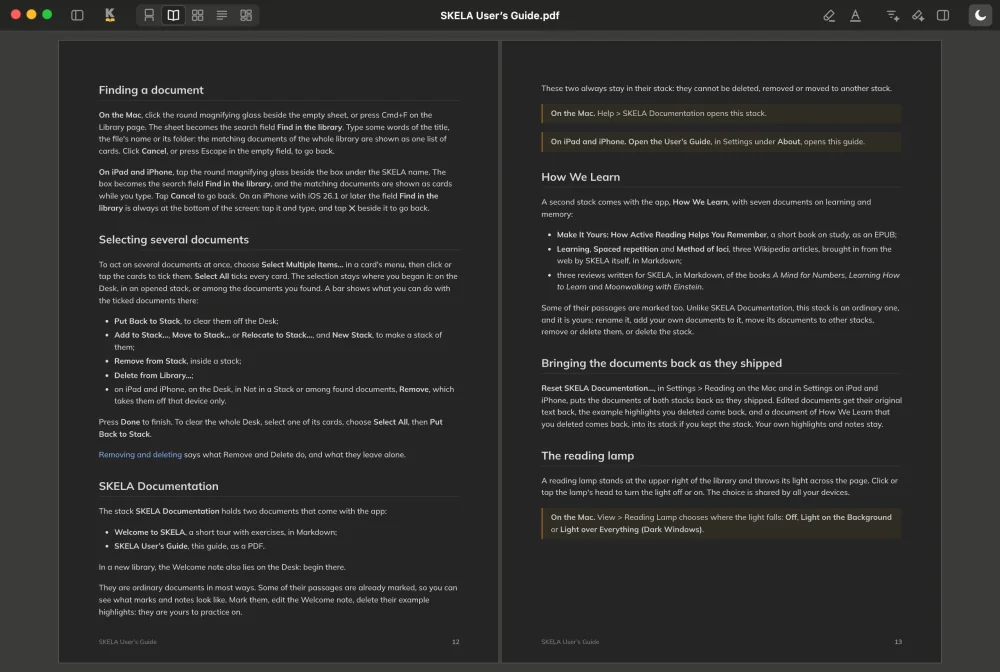
The SKELA User’s Guide, a PDF, as an open book of two pages on the Mac.
The same PDF on iPhone as Text, its words flowing to fit the screen.
Plate 1. The SKELA User’s Guide, a PDF: an open book on the Mac, Text on the iPhone.

Beyond reading

What stays is what you worked with.

A month after a good book, most of us keep an impression and a few lines. What stays is what you chose, explained, recalled and came back to. SKELA is made for that work.

Very important

Key point

The forgetting curve, with and without reviews 0%25%50%75%100% 051015202530 Days after first reading How much stays reviewreviewreviewreview Read once, never reviewed Reviewed at growing intervals The forgetting curve An illustration, not measured data
Figure 1. The forgetting curve, with and without reviews, from the book that comes with SKELA. An illustration, not measured data.

Mark

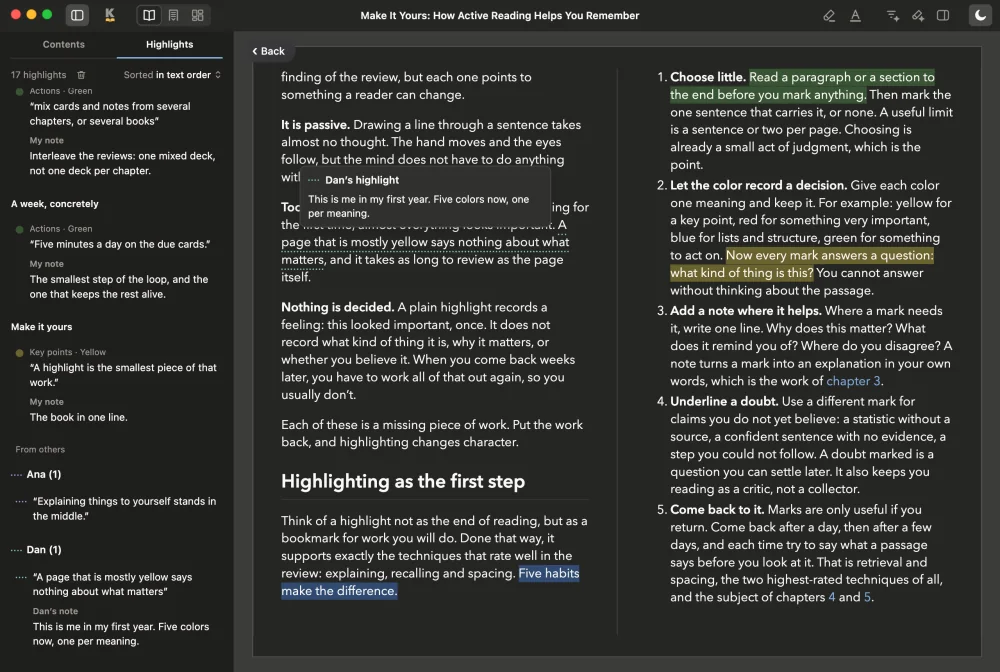
Highlight and underline in colors that mean what you decide, and add notes. Your marks stay with the text when the file changes, and your files are never altered.

Key pointRename any color.

Very important

At first, yellow and orange are key points, red is very important, blue is for lists and headings, and green is for actions; rename any color.

Key Passages is a second reader: the AI marks what it takes to be the key passages, in your colors, so you can compare its choice with yours.

Action

Tools:HighlighterUnderlinerAI tools:Key Passages

A book as two pages, with highlights in green, yellow and blue.
Plate 2. A book as two pages, with highlights in green, yellow and blue.

Understand

Summaries at the length you choose, a concept map of a chapter, key passages found for you, and answers to your questions with the passages they rest on.

Key point

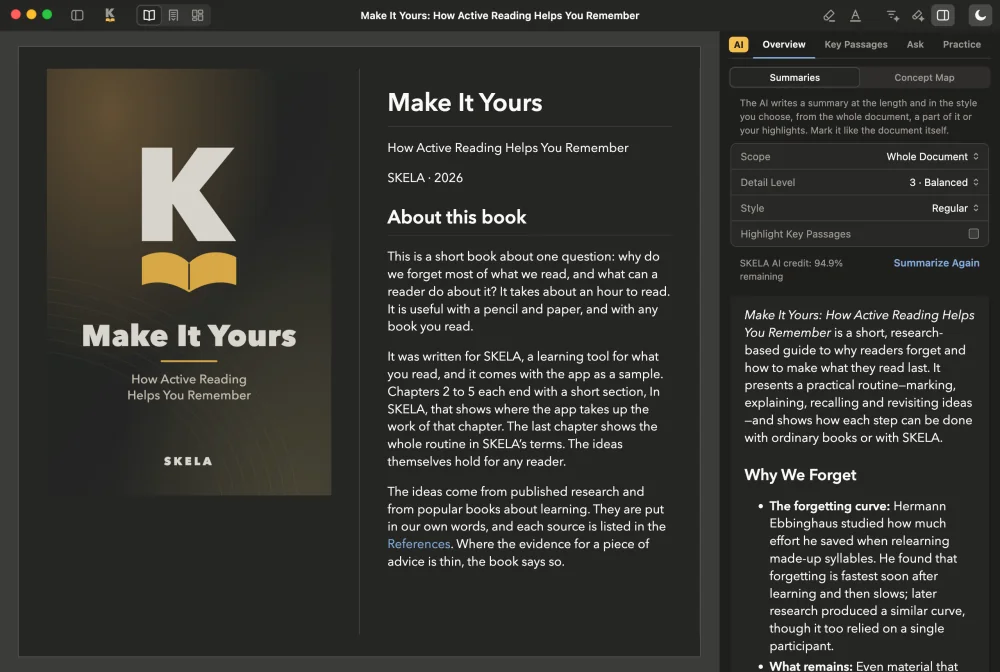
AI summaries of a whole document, of a chapter, or of only what you highlighted, from a few lines to a detailed outline. A summary is a page you can mark too.

Key point

Concept Map draws a part of the document as its central idea and the concepts that hang on it, each tied by a few words and resting on a sentence of the text: press a concept for its sentence and go to it in the document. Test Me hides the concepts, so you recall them before you look. Concept maps come with an AI credit pack; the book that comes with SKELA has one ready-made.

Action

Ask AI answers a question about the document and links each part of its answer to the passage it rests on. On the Mac, select a hard sentence to have it explained, said in simpler words, given an example, or translated.

AI tools:AI summariesConcept MapKey PassagesAsk AI

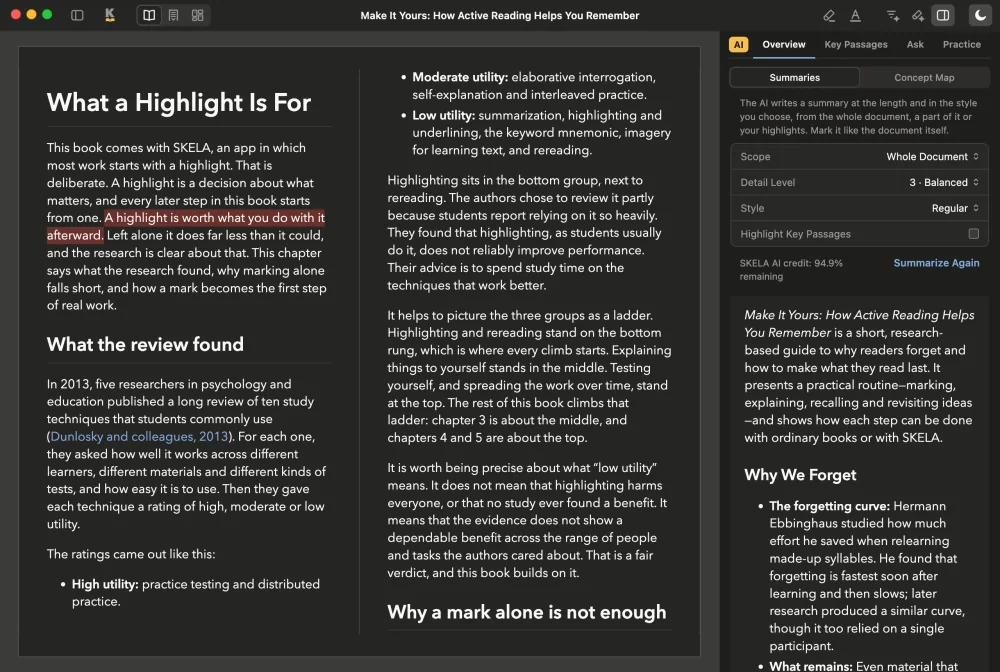
An AI summary of the book in the pane beside its pages.
Plate 3. An AI summary of the book in the pane beside its pages.

Review

Clips gather what you marked, each with enough context to stand alone. Read them, export them, or listen to them on the way.

Key pointSo it still makes sense in a month.

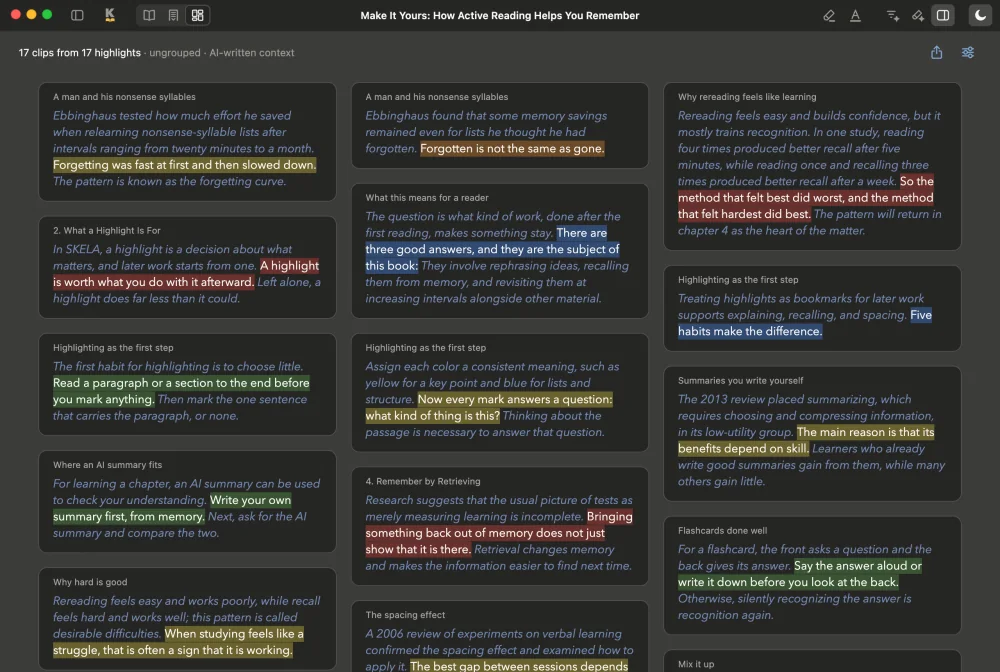
Each highlight becomes a card with a short line of context, and a whole document comes back in minutes. Export your clips as a PDF clip book or as Markdown. On iPad and iPhone, SKELA reads your clips and summaries aloud, and goes on with the screen locked.

Key point

Tools:Clips

Clips of the book: each highlight as a card, with a line of context the AI wrote.
Plate 4. Clips of the book: each highlight as a card, with a line of context the AI wrote.

Remember

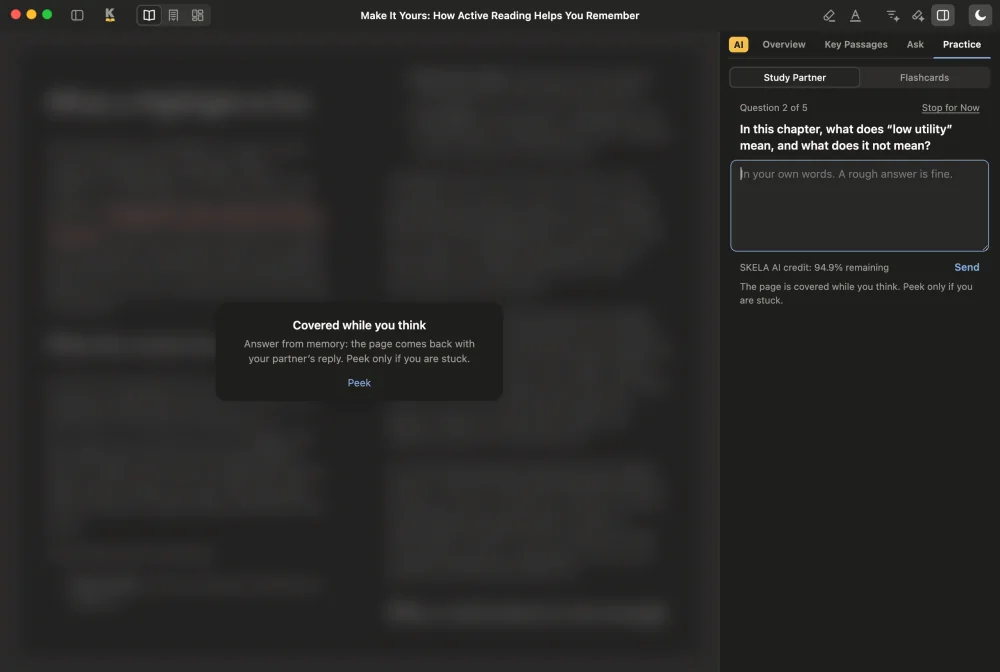
A study partner asks you about what you have read, one question at a time, and says what you have right. Flashcards come back just before you would forget.

Key point

Key point

Your AI Study Partner covers the page while you think, so the answer comes from memory; a rough answer in your own words is fine, and nothing is scored. Where the page is beside them, flashcards and Test Me cover it too while you answer.

Key point

AI flashcards each rest on a passage of the text. A card you knew comes back tomorrow, then in 3 days, 7, 16, and longer each time; a card you missed comes back at once. A few minutes a day on the cards that are due is enough.

Action

AI tools:AI Study PartnerAI flashcards

The study partner’s question, with the page covered while you think.
Plate 5. The study partner’s question, with the page covered while you think.

Together

Read it with others.

What it opens

  • Markdown

    Notes and documents with headings, lists, tables and code, and content from AI agents. Edit them in SKELA; Save writes back only what you changed.

  • PDF

    Papers, reports and books, as pages, as an open book of two pages, or, on iPhone, as Text that flows to fit the screen.

  • EPUB

    Books as pages that turn, or as one long scroll.

  • Web articles

    Paste a link and SKELA keeps the article, without what surrounds it on the page.

  • Text you paste

    Even a long answer from an AI chat is worth studying, not only scrolling past. Paste it into SKELA and every tool works on it.

Mac · iPad · iPhone

One library on every device.

Your documents, your marks, summaries, concept maps, study partner rounds and flashcards travel between your Mac, iPad and iPhone through your own iCloud account, and so does your place in each document. Start a chapter on the Mac, finish it on the iPad, and review its cards on the iPhone.

Mac

Your study desk.

On the Mac, SKELA has room for everything at once: the document in the middle, its contents and highlights on the left, the AI on the right, and as many tabs and windows as you need.

  • Your library opens as a page of its own: a Desk for what you are reading now, and Stacks for everything else.
  • A Highlighter and an Underliner in the title bar, or select and pick a color. Each color has its own key.
  • Right-click a hard sentence to have it explained, put in simpler words, given an example or translated.
  • Open from Web turns a link into an article you can mark, even a page you can read only when signed in to the site.
  • Clips as a board of cards, exported as a PDF clip book or as Markdown.
A book’s first pages beside an AI summary, on the Mac.
A book’s first pages beside an AI summary.

iPad

Pages in your hands.

On iPad, SKELA is a book you hold. Pages turn with a curl, Apple Pencil marks as you would on paper, and when you hold it sideways the AI sits beside the page.

  • Held sideways, the AI pane sits beside the text: summaries, concept maps, questions and practice without leaving the page.
  • Turn on the Highlighter or Underliner and draw across the words with Apple Pencil or a finger; the mark keeps to whole words.
  • Books turn their pages with a curl, and a PDF opens as an open book, two pages side by side.
  • The contents and your highlights in a pane, to find your way in a long document.
  • Listen to your clips and summaries, with the screen locked.
The book’s chapter 4 on iPad held sideways, with its concept map beside the page.

iPhone

Study in the gaps of the day.

On iPhone, SKELA fits the minutes between other things: the flashcards due today, a round of questions on the bus, your clips read aloud on a walk.

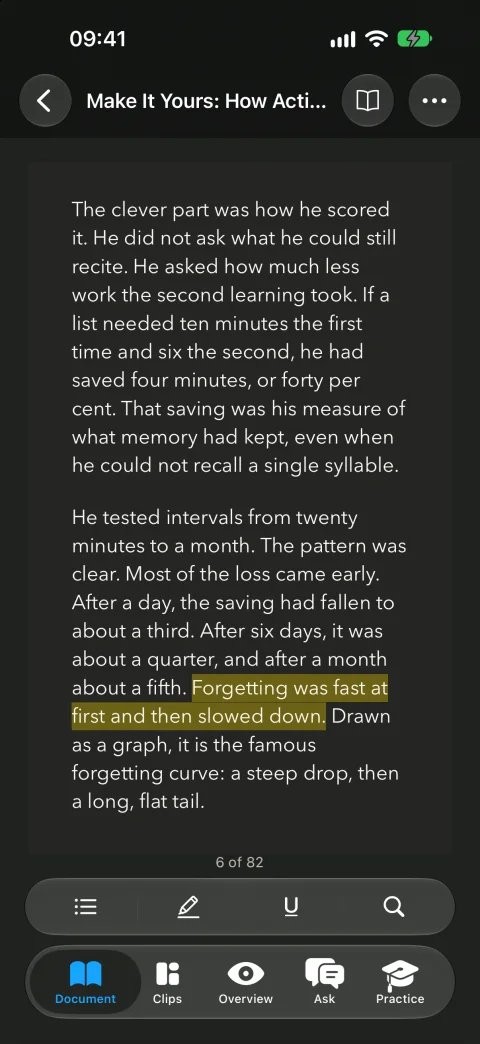
  • A PDF can open as Text: the words flow to fit the screen, at the size you choose, and the pages are one tap away.
  • SKELA reads your clips and summaries aloud and goes on with the screen locked, with the usual controls on the lock screen.
  • The flashcards due across all your documents, in one pile. A few minutes a day is enough.
  • Your study partner asks one question at a time; answer in your own words.
  • Select a passage and tap a color; the color bar appears right beside your words.
An AI flashcard on iPhone, on top of the pile of cards due.
A book on iPhone, page by page, with a highlight.
A book and an AI flashcard on iPhone.

The AI, plainly

AI that waits to be asked.

The AI tools need no setting up: there is no key to paste and nothing to sign in to. The first time you use one, SKELA asks your permission and names the company that answers. Nothing is sent until you choose Allow, and after that only when you run an AI tool.

What uses credit

  • Summaries
  • Concept maps, with a credit pack
  • Key Passages
  • Ask AI
  • The context Clips writes
  • Your study partner
  • Making flashcards

What never does

  • Reading
  • Marking
  • Searching
  • Listening with the system voice
  • Reviewing flashcards already made

Yours

Your reading stays yours.

Your documents and everything you make stay on your devices and in your own iCloud account. SKELA has no sign-in, no advertising and no tracking. The AI sees a text only after you allow it.

SKELA never writes its highlights or notes into your files.

Read the Privacy Policy

Price

Free to start.

SKELA is free to download and comes with some AI credit to start with. More credit is sold in packs that serve all your devices and do not expire. A pack also brings concept maps.

Questions

Do I need an account?

No. There is no sign-in. Your library lives on your devices and in your own iCloud account.

Does SKELA change my files?

No. Highlights and notes are kept by SKELA, never written into your files. When you edit a Markdown document and save it, only the parts you changed are written.

Which files can it open?

Markdown, PDF, EPUB books without copy protection, and web pages as articles. You can also paste text, such as a long answer from an AI chat.

What does the AI cost?

SKELA comes with AI credit to start with; more is sold in packs, which serve all your devices and do not expire. Reading, marking and reviewing your flashcards never use credit.

Can I share a document?

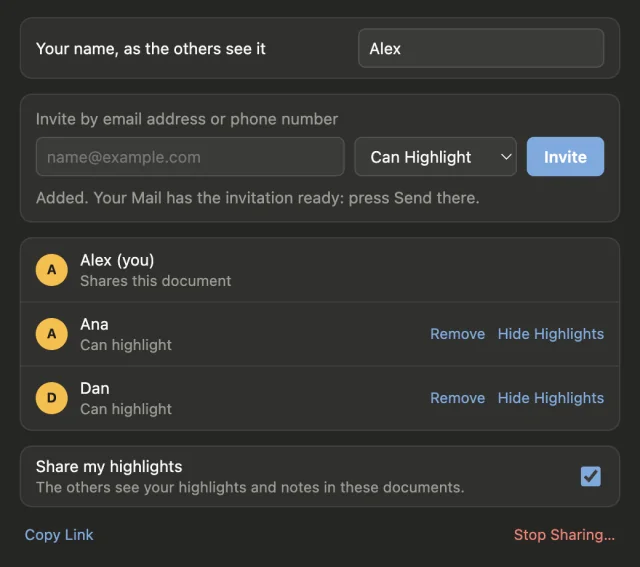
Yes: a document or a whole stack, with the people you invite. Each gets the documents in their own library and sees the others’ highlights and notes. It works between people who use SKELA with their own Apple Accounts.

Is it on all my devices?

Yes: Mac, iPad and iPhone, with one library that travels through your own iCloud account.

Where do I get help?

The SKELA User’s Guide comes with the app. For anything else, write to support@braing8.com.

In the app

Further reading

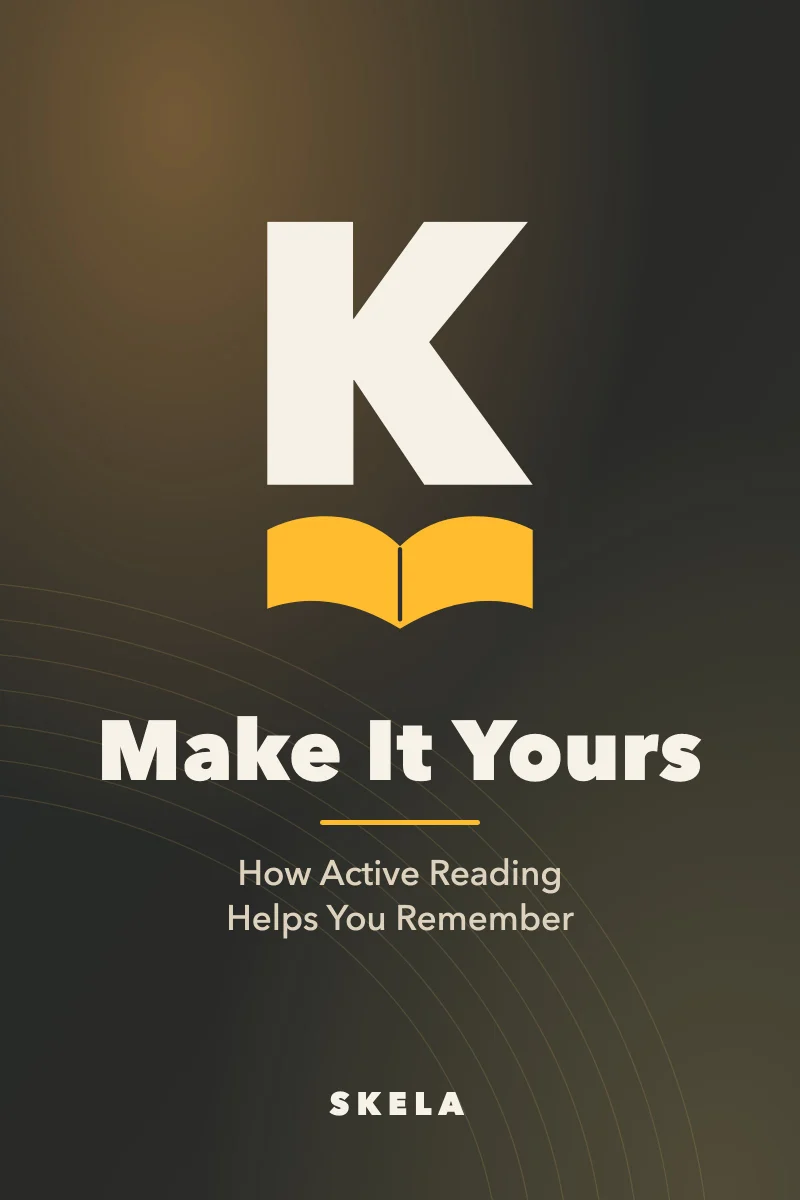
The cover of “Make It Yours: How Active Reading Helps You Remember”.
Make It Yours: How Active Reading Helps You Remember The short book that comes with SKELA.
The cover of the SKELA User’s Guide.
SKELA User’s Guide A PDF, which comes with the app.
The weekly study loop Readand mark1Summarize inyour own words2Answerfrom memory3Makecards4Review thedue cards5Return tothe clips6 Every week a little work, often
Figure 3. A weekly routine from SKELA’s sample book: read and mark, summarize in your own words, answer from memory, make cards, review the due cards, return to the clips.

Read it. Mark it. Keep it.

Make what you read stay.